
Risk & Research
Binance Security Audit Before Funding a Stock Account
Run a practical Binance security audit covering the official domain, email, passkeys or 2FA, devices, API keys, withdrawals and incident response.
Last fact check: 24 August 2026. Account security belongs before the first deposit. A sound stock thesis cannot protect money from a stolen mailbox, a lookalike login page, an over-permissioned API key or a rushed withdrawal to the wrong network.
The official registration screen shown in this article is deliberately empty: verify the destination before entering an email address, password or identity information. Menus and controls can vary by region, device and account. The authenticated Security page and its live warnings are the final authority.
Contents
- Start with a simple threat model
- Verify the domain and referral route
- Secure the email and password layer
- Choose a stronger second factor
- Use the anti-phishing code correctly
- Review devices, sessions and API keys
- Harden withdrawals without becoming careless
- Write an incident-response card
- Repeat the 15-minute audit
1. Start with a simple threat model
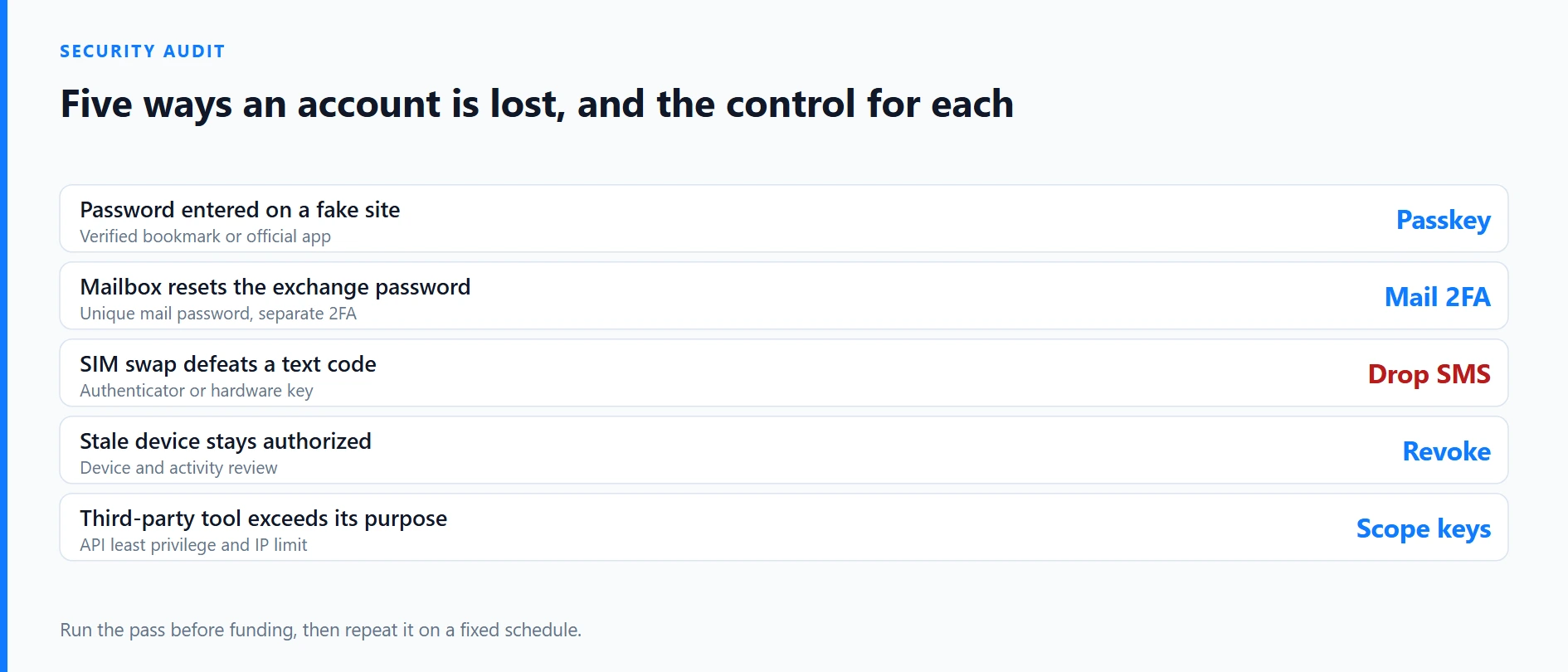
Security controls work better when each one answers a specific failure. Use this map before changing settings:
| Failure to prevent | Primary control | Evidence to check |
|---|---|---|
| Password entered on a fake site | Verified bookmark or official app; passkey where supported | Full hostname and saved login route |
| Mailbox resets the exchange password | Unique email password and independent 2FA | Mail sessions, forwarding rules and recovery methods |
| SIM swap defeats a text code | Authenticator, passkey or hardware security key | Enrolled factors and offline recovery plan |
| Stale device remains authorized | Device and activity review | Recognized device, IP, time and approximate location |
| Third-party tool exceeds its purpose | API least privilege and IP restriction | Owner, permissions, last use and expiry review |
| Attacker redirects assets | Address allowlist plus network and address verification | Saved destination and a small test transfer |
No single row is sufficient. A passkey does not repair a compromised email account, and a withdrawal allowlist does not make a malicious browser extension safe.
2. Verify the domain and referral route
Do not start from a search advertisement, social-media reply, unsolicited support message or unknown QR code. Independently confirm an official Binance domain or install the app from the official route. After verification, bookmark the login page. A padlock only shows that the connection is encrypted; a phishing site can also have HTTPS.
Before using any referral link, open it in a fresh browser session and confirm that every redirect ends on an expected Binance hostname. The visible link text is not enough. Stop if the URL contains a misspelling, an unrelated shortener or a request to install remote-control software, then return to the independently verified official route.
A legitimate referral never requires you to send a password, verification code, identity document or deposit to the person who shared it. Treat any such request as fraud and return to the verified official site or app.
3. Secure the email and password layer
Treat the linked mailbox as part of the financial account. Use a dedicated or tightly controlled address, a long unique password generated by a reputable password manager, and strong multi-factor authentication. Review active mail sessions, recovery addresses, app passwords, filters and forwarding rules. An attacker can hide security alerts by adding a forwarding or deletion rule.
Give Binance its own password-manager record. Reuse turns a breach at an unrelated site into an exchange risk. A password manager can also refuse to autofill on a lookalike domain, providing a useful warning, but it does not replace checking the hostname.
Keep exchange recovery material separate from the mailbox it can recover. Do not store every backup code in one cloud note or screenshot folder. Record when each factor was enrolled and test the recovery procedure before holding a material balance.
4. Choose a stronger second factor
Binance Academy’s current security guidance explains that SMS verification is better than no second factor but remains exposed to SIM-swap and mobile-account takeover. An authenticator app does not depend on the phone number. A hardware security key adds a physical factor, while a passkey uses a cryptographic credential tied to an approved device or credential manager.
Choose the strongest method your account and recovery situation can support. A practical setup has one primary method and a separately protected recovery path. Registering several factors without documenting who controls them can create more forgotten access routes rather than more safety.
When replacing a phone, remove the old device only after confirming the new factor and recovery route work. Read any live withdrawal restriction or cooldown shown when security settings change; exact periods and consequences can change, so this article does not promise a fixed timer.
5. Use the anti-phishing code correctly
Binance’s Anti-Phishing Code can place a user-chosen code in official account emails. If the expected code is absent or wrong, stop and navigate to the bookmarked app or website without clicking the message. Choose a code that is not a password, recovery answer or public nickname.
The code is a warning signal, not cryptographic proof that every instruction in an email is safe. Sender details can be imitated, and a previously seen message can be copied. Confirm withdrawals, login alerts and account changes inside the authenticated account. Support should never need a password, seed phrase, one-time code or remote access to a device.
6. Review devices, sessions and API keys
Open the current device and account-activity view. Compare device name, IP address, time and approximate location with your own history. Remove devices you no longer use. If an entry is unexplained, do more than delete one session: use a clean device, secure the mailbox, change the exchange password, revoke exposed factors and contact support through the official site.
Do not create an API key “just in case.” For every existing key, record its owner, connected application, purpose, permissions, allowed IP addresses, creation date and last review. A read-only reporting tool does not need trading or withdrawal permission. Use the minimum permission set, apply IP restrictions where supported and revoke abandoned keys rather than leaving them dormant.
Browser extensions, trading bots and screen-sharing tools expand the trust boundary. Remove software you cannot audit. An interface that displays a familiar Binance logo is not evidence that the software or API connection is authorized.
7. Harden withdrawals without becoming careless
For stable personal destinations, consider address management and withdrawal allowlisting. An allowlist can restrict where assets are sent, but it does not validate the asset, blockchain network, memo or ownership of the destination. The mailbox and factors used to change the list must also be secure.
For a new destination:
- confirm the asset and the supported network on both sides;
- compare the full address, not only a few visible characters;
- include a memo or tag when the receiving service requires one;
- make a small test transfer where practical;
- verify the arrival before sending the remainder;
- save the transaction ID and destination record.
This matters for on-chain products such as eligible bStocks on BNB Smart Chain. A similar ticker on the wrong network is not the same asset, and an irreversible transfer may not be recoverable.
8. Write an incident-response card
Prepare the response while the account is calm. Keep official support entry points and the following sequence somewhere you can reach without logging into the affected mailbox:
- stop clicking messages and stop approving prompts;
- from a clean device, preserve alert times, order IDs, transaction IDs and suspicious IP details;
- read the current warning and consider the official Disable Account control if unauthorized activity is continuing;
- secure the email account and replace exposed passwords;
- remove unknown devices and revoke API keys;
- review open orders, conversions, withdrawals and deposit history;
- contact Binance support from the authenticated official site;
- notify the receiving institution, bank or relevant authority when appropriate.
Binance’s guide says disabling an account can suspend trading and withdrawals and remove API keys and authorized devices. Because that is a consequential action, read the live confirmation screen instead of treating this summary as a guaranteed recovery procedure. Preserve evidence before it disappears, but never publish sensitive documents or security codes.
9. Repeat the 15-minute audit
Run this short review before a first deposit, after changing a device or email address, after connecting any API, and at least quarterly:
- open Binance from the saved official route;
- inspect mailbox recovery and forwarding settings;
- confirm the primary factor and recovery method;
- compare authorized devices and recent activity;
- verify the anti-phishing code;
- inventory every API key and permission;
- review withdrawal addresses and networks;
- confirm the incident-response contacts still work.
Account security reduces operational risk; it does not remove investment loss, custody, product, tax or regional eligibility risk. After the audit, review the safe registration and eligibility workflow and compare USDC, USDT and BNB funding paths before depositing.
Official sources
- Official Binance registration
- Binance Academy: Secure Your Binance Account in 7 Simple Steps
- Binance Academy: What Is Two-Factor Authentication?
- Binance Academy: 5 Ways to Improve Your Binance Account Security
- Binance Support
Educational information only, not investment, legal or individualized security advice. Recheck the live account controls before acting.